Claude team training
Train your whole team on Claude in one day.
Your team is figuring this out one at a time. We train them together in a day: hands-on, on your own work, with the setup and habits everyone shares afterwards.
Why train together
One shared way of working, instead of twenty.
When people learn Claude alone, each person ends up with different settings, different prompts and a different idea of what is safe to share. Usage goes to trial and error, and whoever figures it out first becomes the help desk.
A shared day fixes that: one setup, one set of conventions, and the whole team at the same level. Built for teams of 5 to 50 people.
What the day covers
A typical agenda.
We tailor the day to your roles and plan on the first call.
Claude for everyday work
Chats, models, files and Projects, applied to tasks your team already does. How to check answers and what not to paste in.
Shared context for the team
Team projects, instructions and knowledge files, so everyone works from the same material instead of re-explaining it in every chat.
Skills and connectors
Turning repeatable tasks into skills and connecting the tools your team already uses, with the settings an admin should decide once.
Claude Code and Cowork, where they fit
For developers and technical operations staff: installation, permissions, project conventions and safe defaults.
How it works
From first call
to shared practice.
Your team’s work is the material. We agree on the people, preparation and decision points before the day.
A free 30-minute call
We look at your team’s roles, your Claude plan and the tasks you want to improve, and agree what the day should cover.
Preparation on your material
We choose representative tasks and safe sample materials with you before the session, so practice uses your work, not demo data.
The training day
Your team works through the exercises together, with time for questions, review and improvement.
Bring it into the workflow
You leave with shared projects, reusable instructions, review checklists and a next-step plan for one bounded task.
Before the day
Read the basics.
 Claude Guides
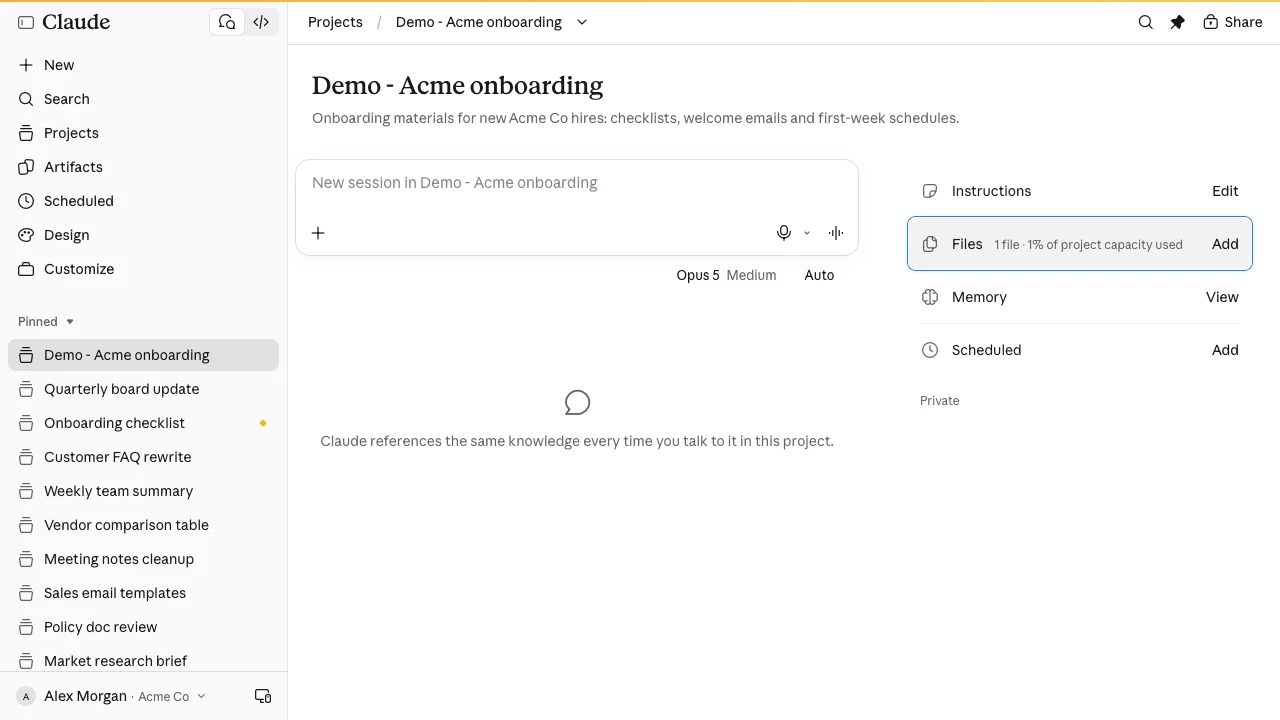
How to Use Claude Projects: Instructions, Files and Chats
To use Claude projects, create one under Projects, add instructions and reference files, then start related chats inside it so Claude keeps the context.
Explore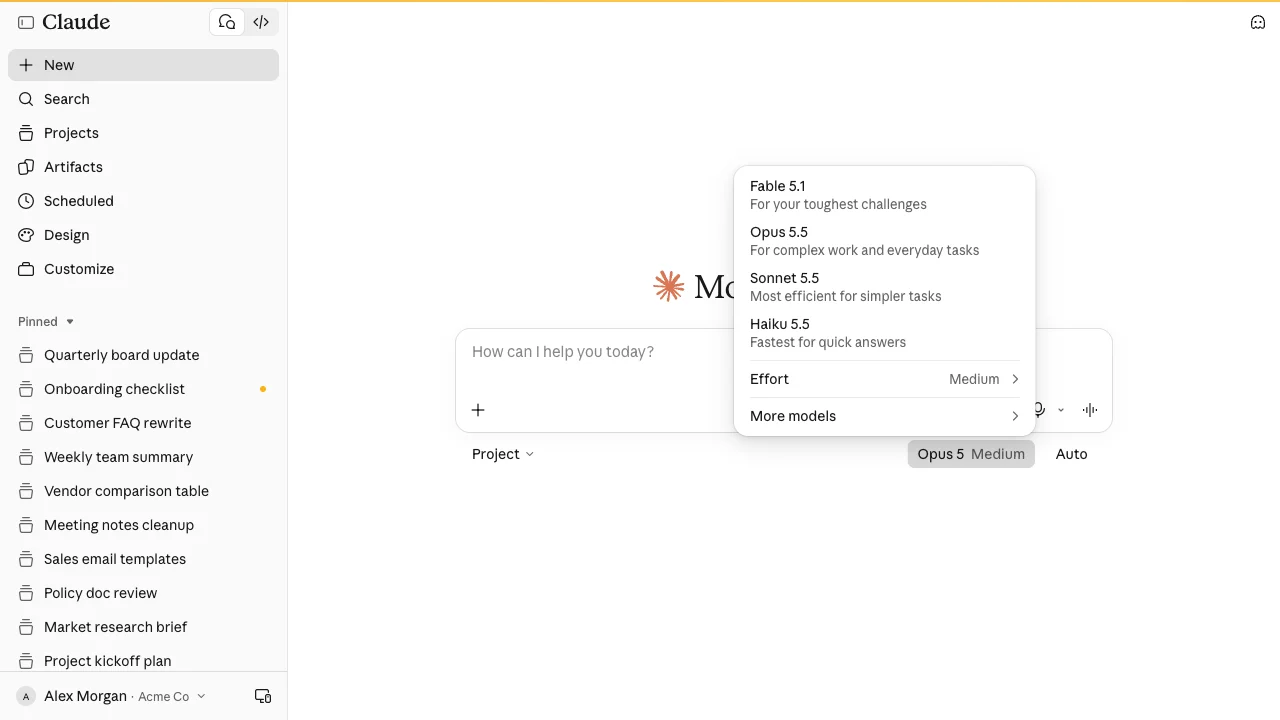 Claude Guides
How to Use Claude: A Step-by-Step Guide for Beginners
To use Claude, sign in at claude.ai, type your request in the message box and press Enter. Refine with follow-ups and add files with the + button.
Explore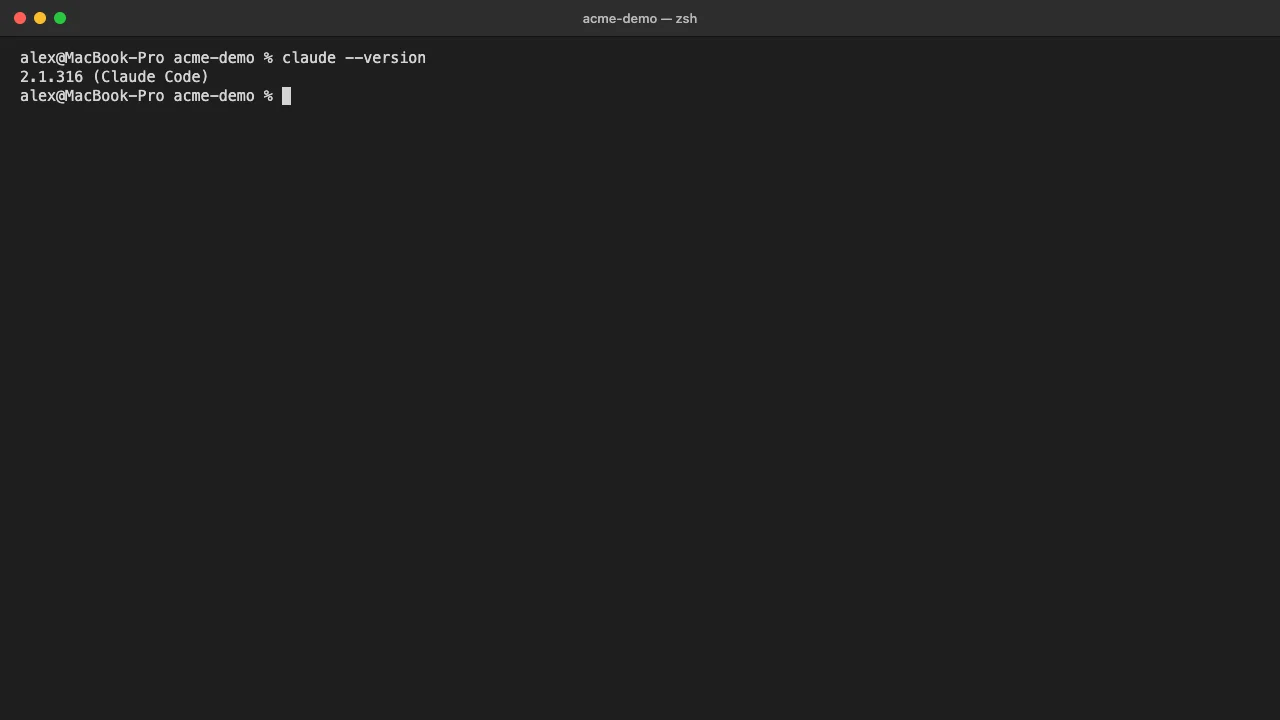 Claude Guides
How to Install Claude Code (Mac, Windows, Linux Guide)
To install Claude Code, run the official one-line installer in your terminal, check it with claude --version, then type claude in a project folder.
ExploreCommon questions
Make an informed next step.
Which Claude plan does my team need?
The workshop works with the plan you have. Some team features, such as admin-managed settings and organization-wide sharing, are only available on Team and Enterprise plans. We confirm what applies to your plan before the day.
Can the training use our own documents?
Yes. Practice uses representative tasks and safe sample materials that we agree with you before the session. Access, permitted data use and confidentiality are agreed as part of the engagement.
Is Claude Code part of the day?
If your team includes developers or technical operations staff, we can include Claude Code and Cowork. If not, the day stays on Claude in the browser and desktop apps.
What does the workshop cost?
Training scope depends on team size, roles, delivery format, preparation and follow-up. We clarify these on the call before proposing an engagement.
What happens after the training day?
You leave with a bounded task to apply the learning and a way to assess whether it helps. Where the training shows a workflow worth automating, we can scope custom tools and automation as a separate engagement.
Claude team training
Your team is figuring this out
one at a time.
We train them together in a day.