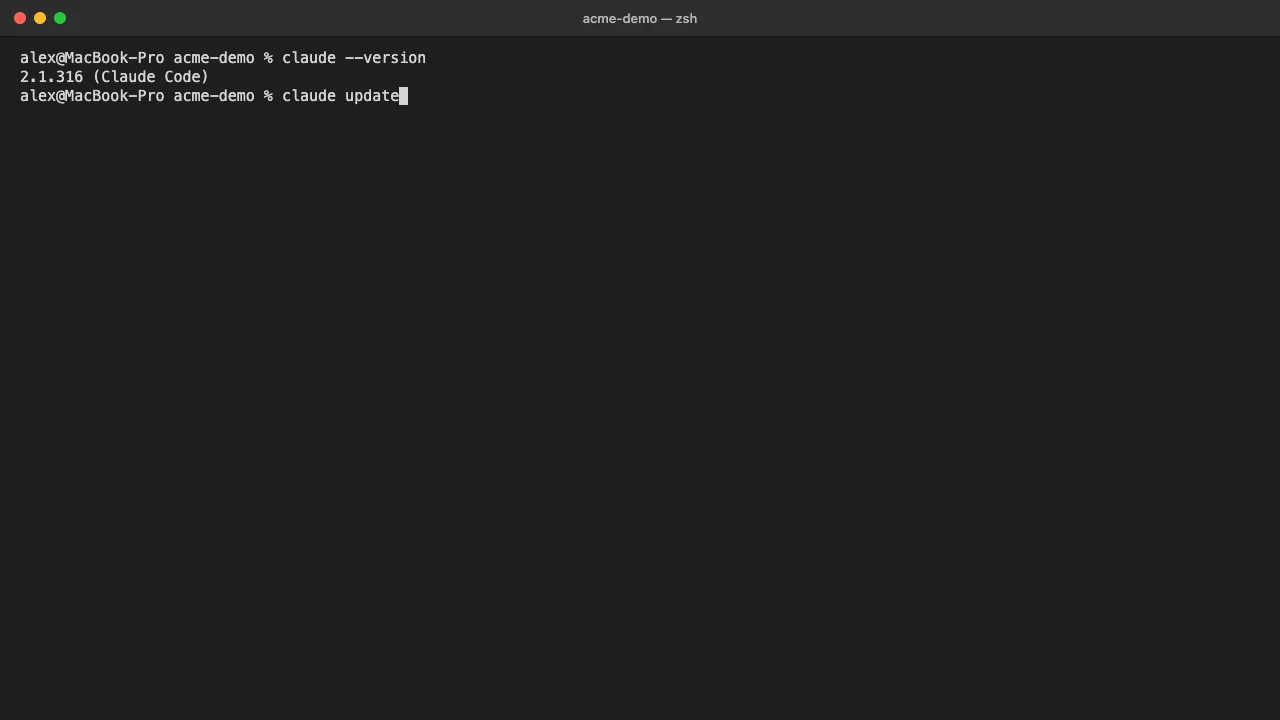
To install Claude Code, open a terminal and run the official installer: curl -fsSL https://claude.ai/install.sh | bash on macOS, Linux and WSL, or irm https://claude.ai/install.ps1 | iex in Windows PowerShell. Open a new terminal window, run claude --version to confirm the install, then type claude inside a project folder and sign in through your browser.
This guide covers the terminal version of Claude Code on all three desktop systems. You need macOS 13.0 or later, Windows 10 1809 or later (or Windows Server 2019), or Ubuntu 20.04, Debian 10 or Alpine 3.19 and later, with 4 GB of RAM and an internet connection. To use it after install, you need a Claude Pro, Max, Ultra, Team or Enterprise plan, a Claude Console account, or access through Amazon Bedrock, Google Cloud’s Agent Platform or Microsoft Foundry. The free claude.ai plan does not include Claude Code.
How to install Claude Code on the terminal
-
Check your account and system. Confirm you sign in to Claude with one of the plans above, and that your operating system meets the minimum version. On Windows, Git for Windows is optional: with it, Claude Code uses Git Bash for shell commands, and without it, Claude Code uses PowerShell.
-
Run the install command for your system. Paste the command into your terminal and press Enter. The installer shows no progress while it downloads, so leave the window open until it finishes.
On macOS, Linux or WSL:
curl -fsSL https://claude.ai/install.sh | bashIn Windows PowerShell:
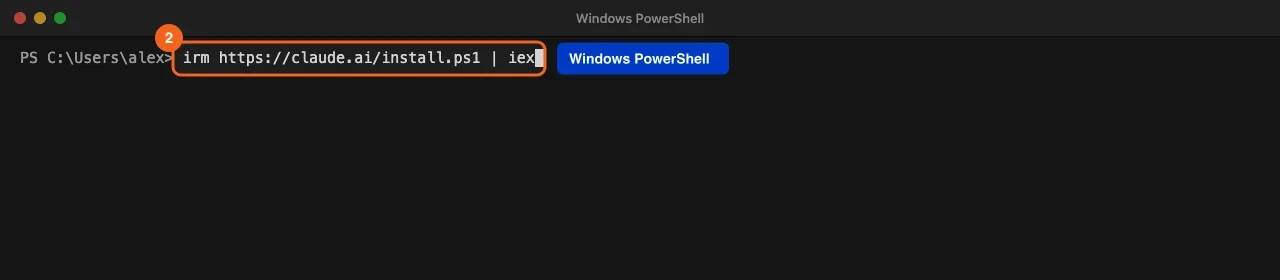
irm https://claude.ai/install.ps1 | iexIn Windows Command Prompt (CMD):
curl -fsSL https://claude.ai/install.cmd -o install.cmd && install.cmd && del install.cmd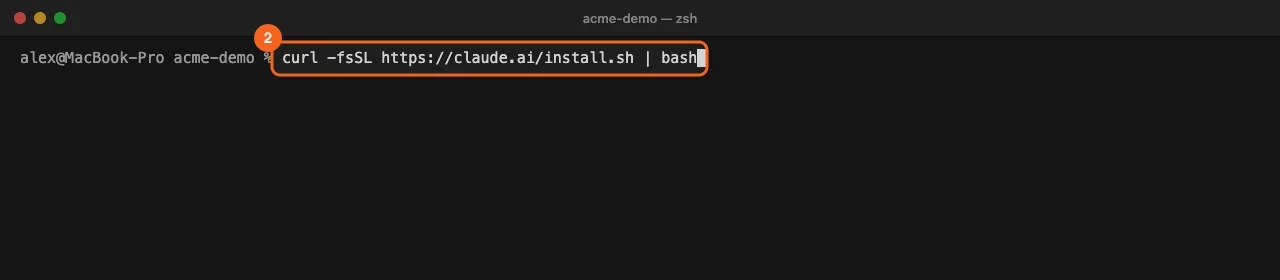
- Open a new terminal window and check the install. The window you installed from keeps its old PATH, so open a fresh one. Run
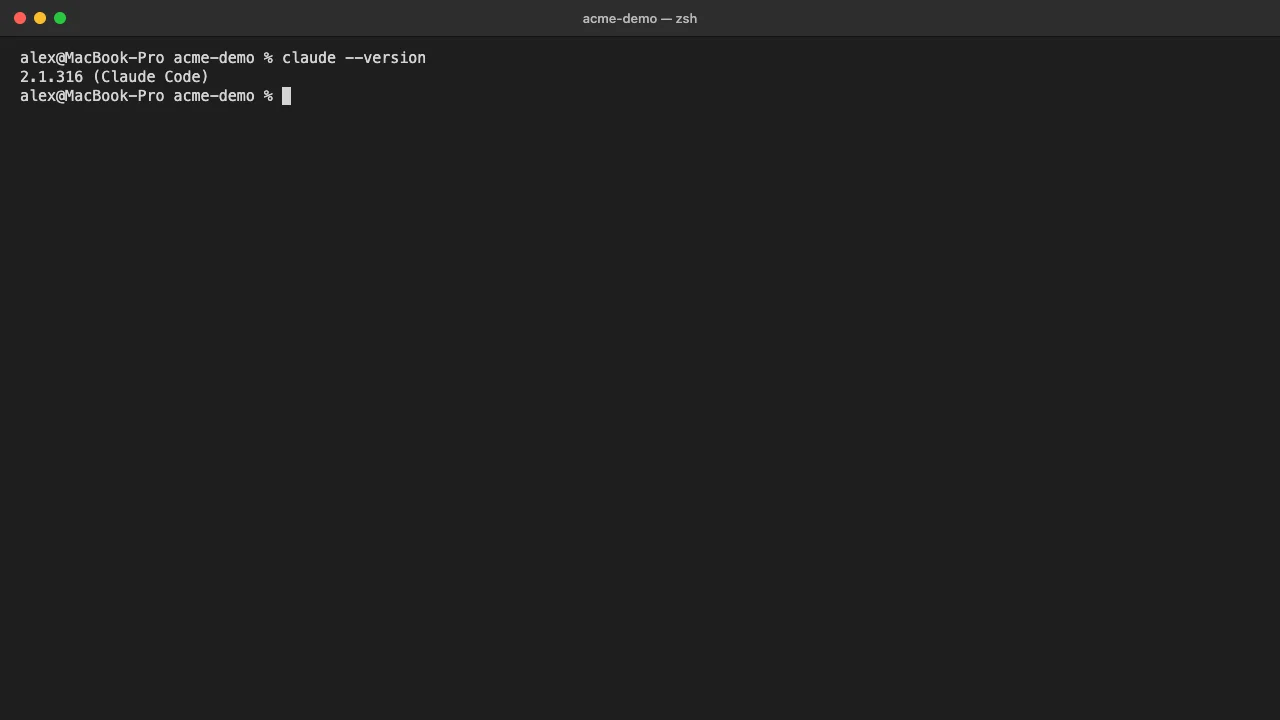
claude --version. A working install prints a version number followed by (Claude Code).
claude --version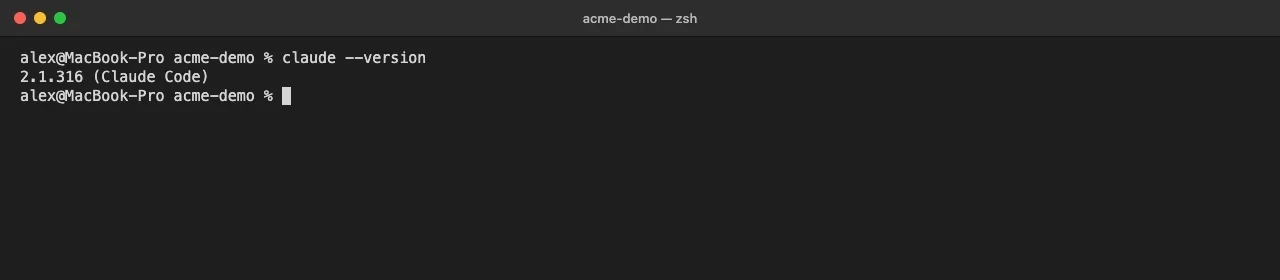
- Start Claude Code in your project folder. Move into the folder you want to work in and type
claude.
cd /path/to/your/project
claude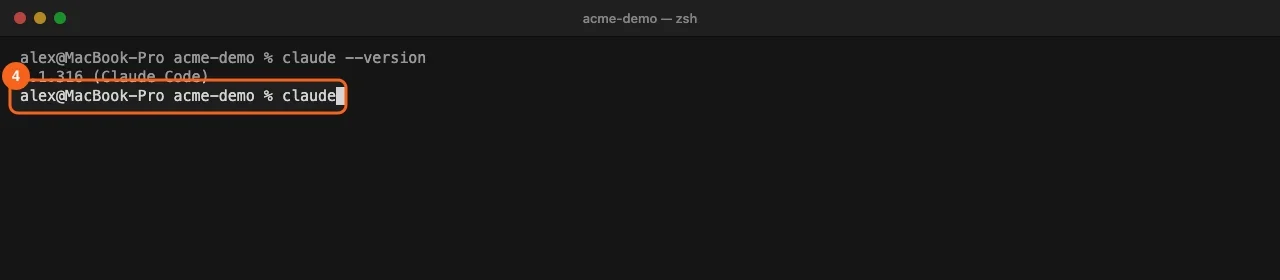
-
Sign in through your browser. The first time you run
claude, it asks you to log in. Follow the prompts and finish in the browser window that opens. Your login is stored, so you only do this once per machine. If you have set anANTHROPIC_API_KEYvariable and approve it when asked, Claude Code uses that key and skips the browser login. -
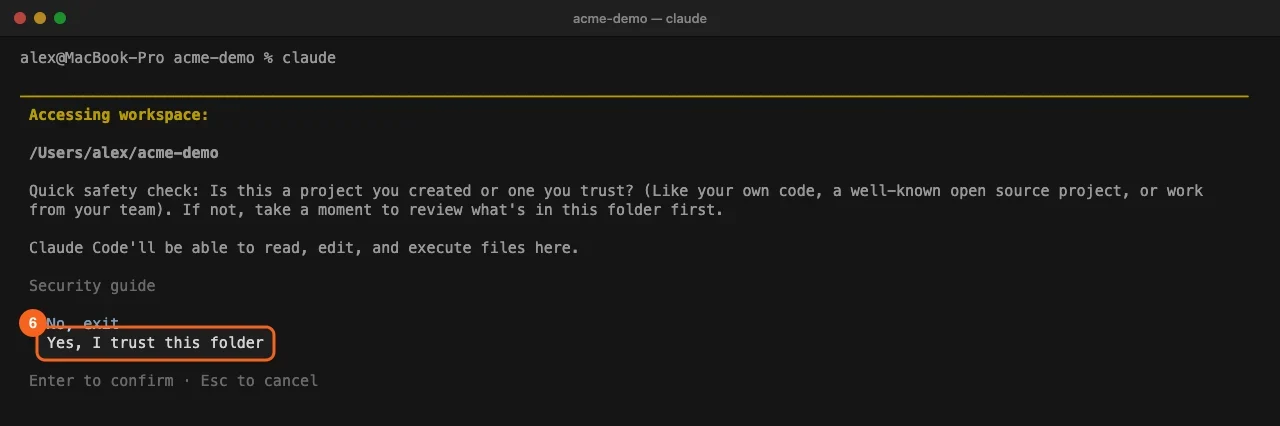
Trust the folder. Claude Code shows an Accessing workspace check with the folder path and two choices. Use the arrow keys to select Yes, I trust this folder and press Enter. It asks once per project.
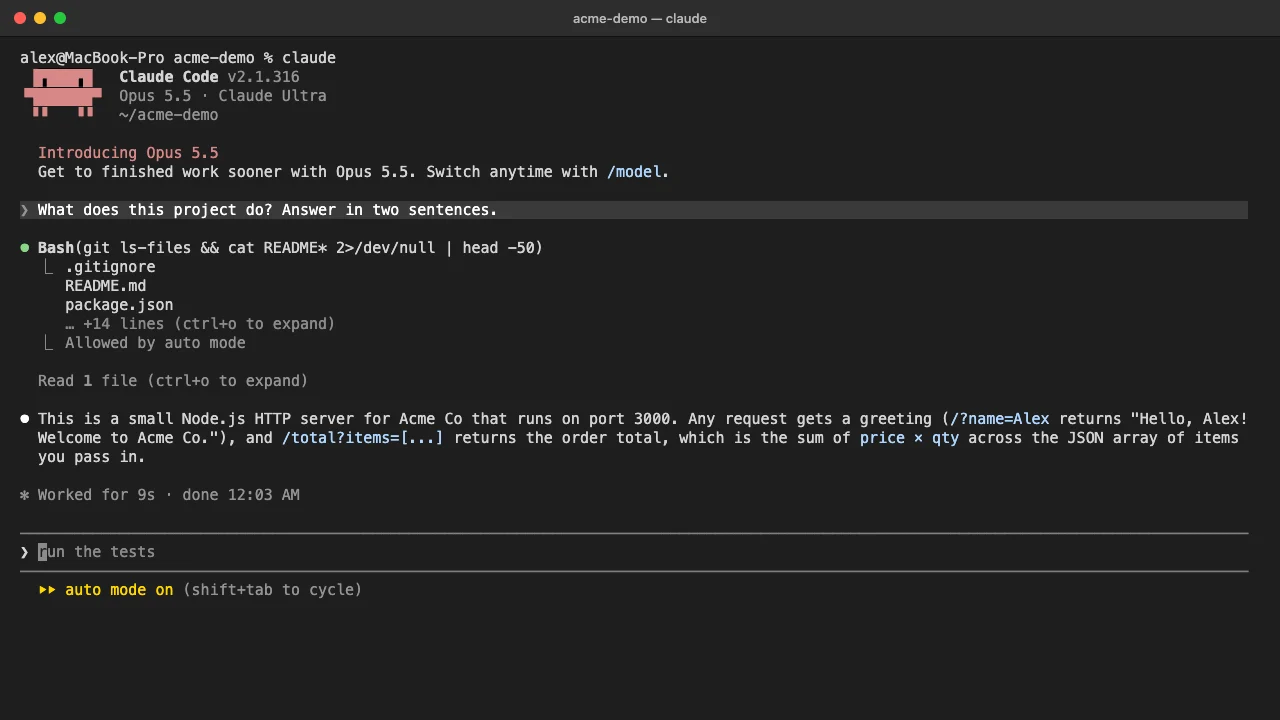
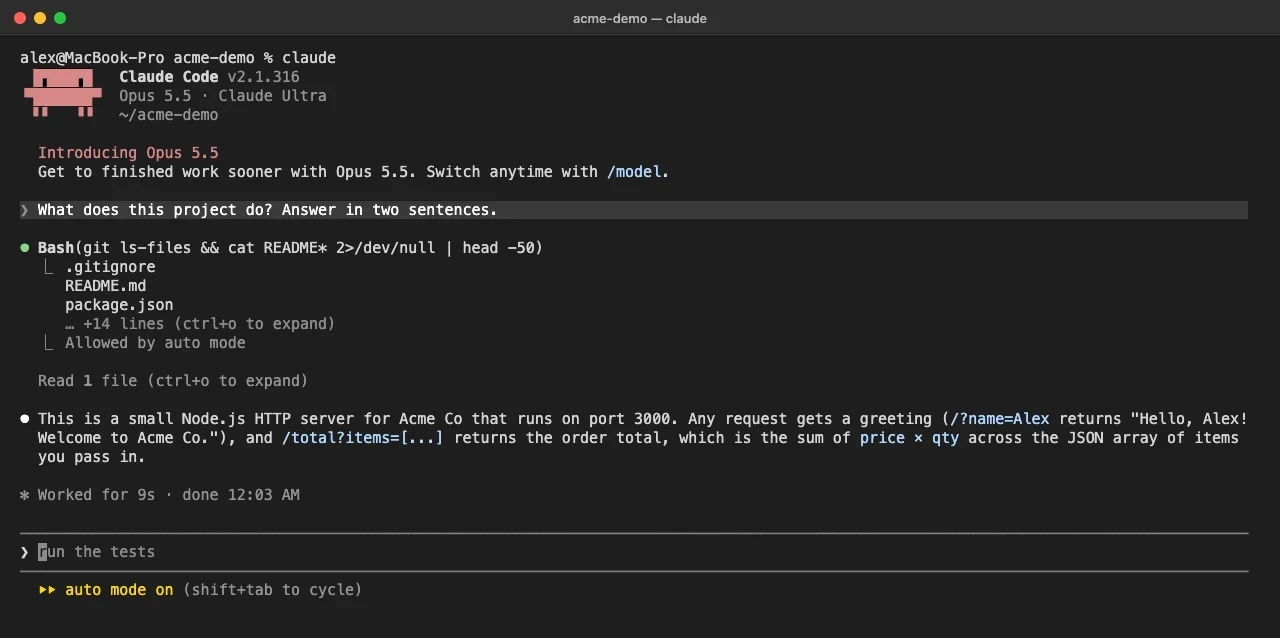
- Send a first request. Type a question in plain English, such as “What does this project do?”, and press Enter. Claude reads the files it needs and answers below your prompt.
Common install errors and fixes
command not found: claudeor'claude' is not recognized. The install folder is not on your PATH yet. The installer putsclaudein~/.local/binon macOS and Linux, or%USERPROFILE%\.local\binon Windows, and prints the fix under Setup notes. On macOS with Zsh, run the two lines below, then open a new window. On Linux with Bash, use~/.bashrcin place of~/.zshrc.
echo 'export PATH="$HOME/.local/bin:$PATH"' >> ~/.zshrc
source ~/.zshrc
syntax error near unexpected token '<'or a 403. The install address returned a web page instead of the script. If the page says App unavailable in region, Claude Code is not offered in your country. Otherwise retry after a few minutes, check your company proxy, or use Homebrew or WinGet instead.'irm' is not recognized. You are in CMD, not PowerShell. Use the CMD command from step 2, or open PowerShell.The token '&&' is not a valid statement separator. You are in PowerShell but pasted the CMD command. Use the PowerShell command.- Login works but you get
403 Request not allowed. Check that your subscription is active at claude.ai/settings. Console users need the Claude Code or Developer role.
For a full health check of the install and your settings, run claude doctor from your shell. It prints read-only diagnostics without starting a session.
Other ways to install Claude Code
Homebrew (macOS). Run brew install --cask claude-code for the stable channel, or claude-code@latest for every release as soon as it ships. Homebrew installs do not update themselves: run brew upgrade claude-code from time to time.
WinGet (Windows). Run winget install Anthropic.ClaudeCode, and winget upgrade Anthropic.ClaudeCode to update.
Linux package managers. Anthropic publishes signed apt, dnf and apk repositories for Debian, Ubuntu, Fedora, RHEL and Alpine. See how to install Claude on Ubuntu for the repository steps.
npm. npm install -g @anthropic-ai/claude-code needs Node.js 22 or later. Never run it with sudo.
On Windows, the PowerShell prompt starts with PS. If yours does not, you are in Command Prompt and need the CMD command. The full Windows walkthrough is in how to install Claude Code on Windows.
The native installer is the one to pick in most cases: it is the only method that keeps Claude Code current in the background. To learn how updates work, see how to update Claude Code.
Rolling out Claude Code installs across a team
When 20 people install Claude Code on their own, you end up with a mix of native, Homebrew, WinGet and npm installs. Native installs update in the background; the others stay on whatever version was installed until someone upgrades by hand. Within a month the team runs several versions, and bug reports stop being comparable.
Decide these points before anyone installs:
- One install method. Pick the native installer unless your IT team ships software through its own tools. If it does, set
DISABLE_UPDATESso people stay on the version you provide. - One release channel. The
autoUpdatesChannelsetting acceptslatest(the default) orstable, which is usually about a week behind and skips releases with major regressions. Admins can enforce the channel and aminimumVersionfloor through managed settings. - Access before install day. Every user needs a seat or account that includes Claude Code. On Enterprise plans that use custom roles, a missing role shows up as “Claude Code access has not been granted for this account” at login.
- Old API keys. An
ANTHROPIC_API_KEYleft in a shell profile from an earlier project overrides the subscription login once approved. Have people check with/statusafter they sign in. - Network. Company proxies and firewalls are the most common cause of 403 errors during install. Ask your network team to confirm that
claude.aianddownloads.claude.aican be reached before install day.
Frequently asked questions
Is Claude Code free to install?
The installer itself costs nothing, but using Claude Code needs a Pro, Max, Ultra, Team or Enterprise plan, a Claude Console account with API credits, or a supported cloud provider. The free claude.ai plan does not include it.
Do I need Node.js to install Claude Code?
Not for the native installer, Homebrew, WinGet or the Linux repositories. Only the npm method needs Node.js, version 22 or later.
Where does Claude Code get installed?
The native installer places the claude launcher at ~/.local/bin/claude on macOS and Linux, and at %USERPROFILE%\.local\bin\claude.exe on Windows. Versions live under ~/.local/share/claude.
Can I install Claude Code without the terminal?
The Claude Desktop app runs Claude Code with a graphical interface and needs no terminal. Download it from claude.com/download for macOS or Windows; on Linux it installs with apt.
How do I check which version I have?
Run claude --version. It prints the version followed by (Claude Code), for example 2.1.316 (Claude Code).
Train your whole team on Claude
Your team is figuring this out one at a time. We train them together in a day.